Tested on Ubuntu 25.0 running GNOME 49.
Introduction
Live wallpapers (moving wallpapers) are used to enhance the visual aesthetics of a device, making it more dynamic, personal, and modern than static images. In this tutorial ill teach you how to install live wallpaper extension for GNOME!
Table of Content
Set up the dependencies
1.Install this packages:
sudo apt install gnome-shell-extension-manager git meson ibgtk-4-media-gstreamer
2.Next, we will installling extension.
- For GNOME 45 and later
git clone https://github.com/jeffshee/gnome-ext-hanabi.git - For GNOME 44 and earlier (are you still using it?)
git clone https://github.com/jeffshee/gnome-ext-hanabi.git -b legacy
3.Run the installation script
cd gnome-ext-hanabi
./run.sh install
After that, restart GNOME Shell.
Setting up the extension
1.Open GNOME Extension Manager
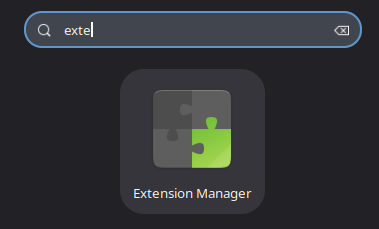
2.Enable Hanabi Extension (the Live Wallpaper CORE)
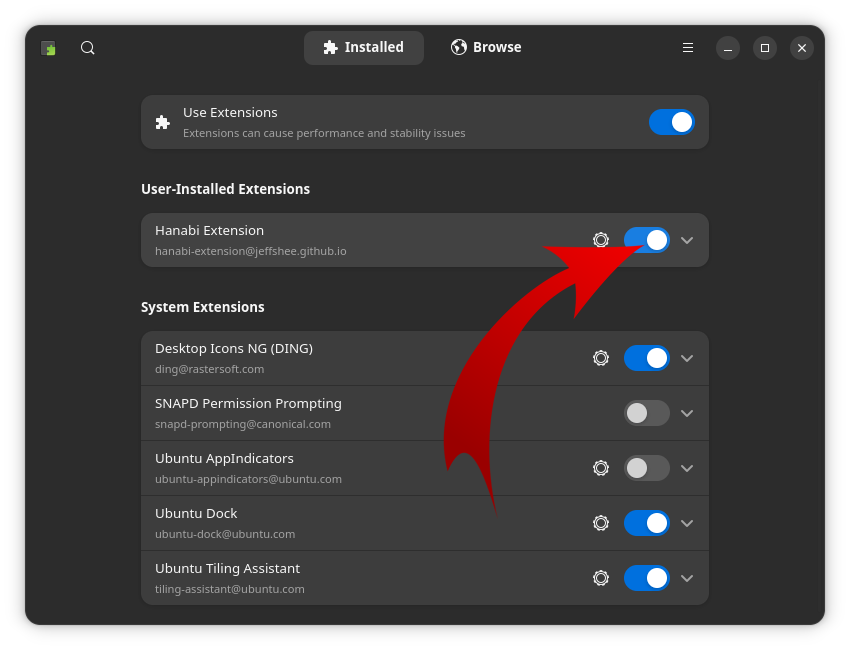
3.Choose your video wallpaper in the extension preference window (Work best on WebM video format.).
And DONE!!